미밴드8 사용중에 미밴드 어플에서
백그라운드 사용을
허용해야
정상 사용이 가능하다는게
계속 보였는데
어떻게 하는지 몰라서 못하다가 이번에
해봤습니다.
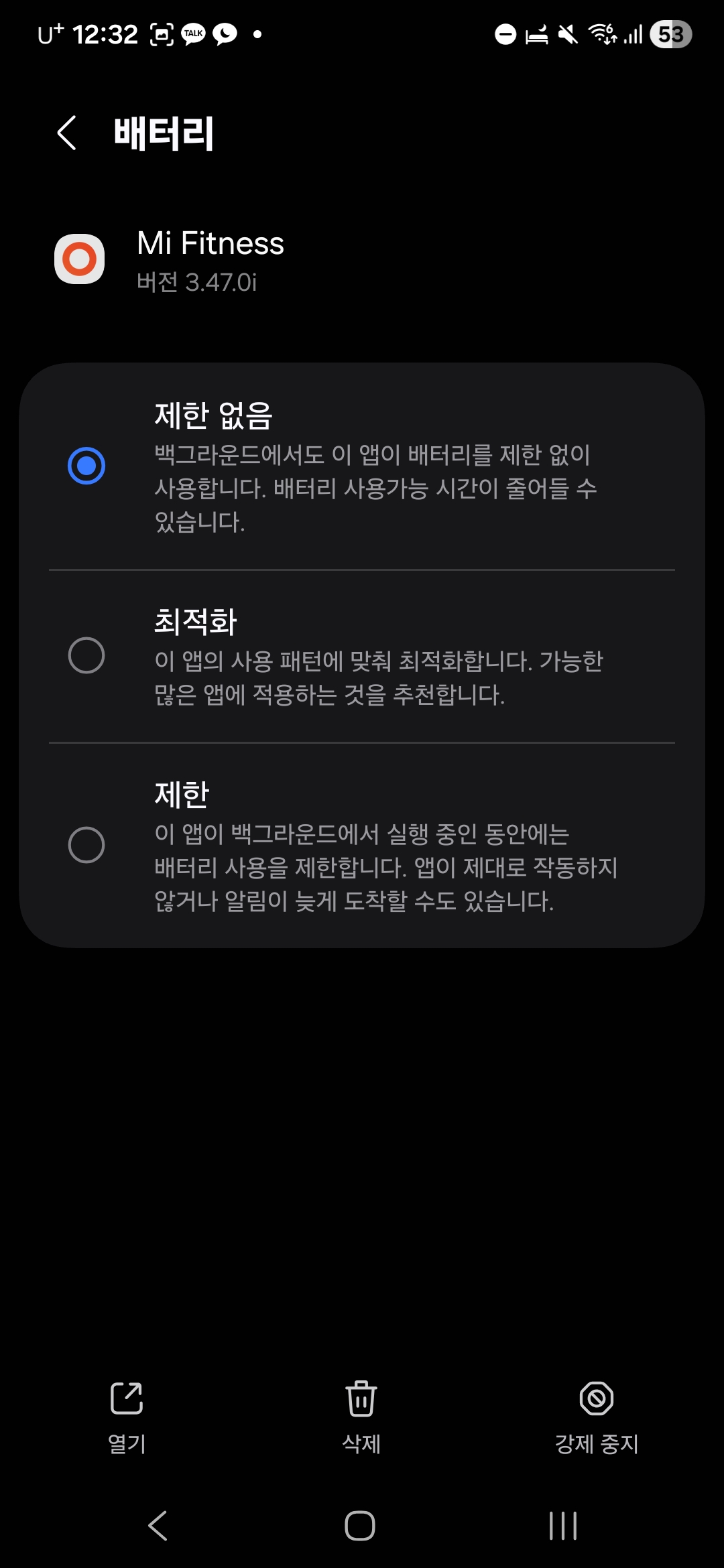
결국은 이게 다네요
📝 미밴드 8: 백그라운드 사용 허용 설정 방법
(완벽 가이드)
미밴드 8을 사용하면서 "백그라운드 사용을 허용해야 정상 작동합니다"라는 알림을 계속 보셨나요? 간단한 설정인데 어디서 하는지 몰라 헤매셨다면, 이제 이 가이드로 손쉽게 해결하세요!
💡 문제 해결의 핵심
미밴드 8의 전용 앱(대부분의 경우 Zepp Life 또는 Mi Fitness 앱)이 스마트폰 백그라운드에서 계속 실행되도록 허용해야 미밴드와 휴대폰 간의 연결이 끊기지 않고, 알림, 수면 데이터, 운동 기록 등이 실시간으로 정상 동기화됩니다.
🛠️ 백그라운드 사용 허용 설정 방법
이 방법은 안드로이드 스마트폰 기준으로 가장 일반적인 경로를 안내합니다. 기기 제조사(삼성, LG 등)나 안드로이드 버전에 따라 메뉴 이름은 조금씩 다를 수 있습니다.
단계별 설정 경로
* 스마트폰 '설정' 앱 열기
* '애플리케이션' 또는 '앱 및 알림' 메뉴 찾기 및 선택
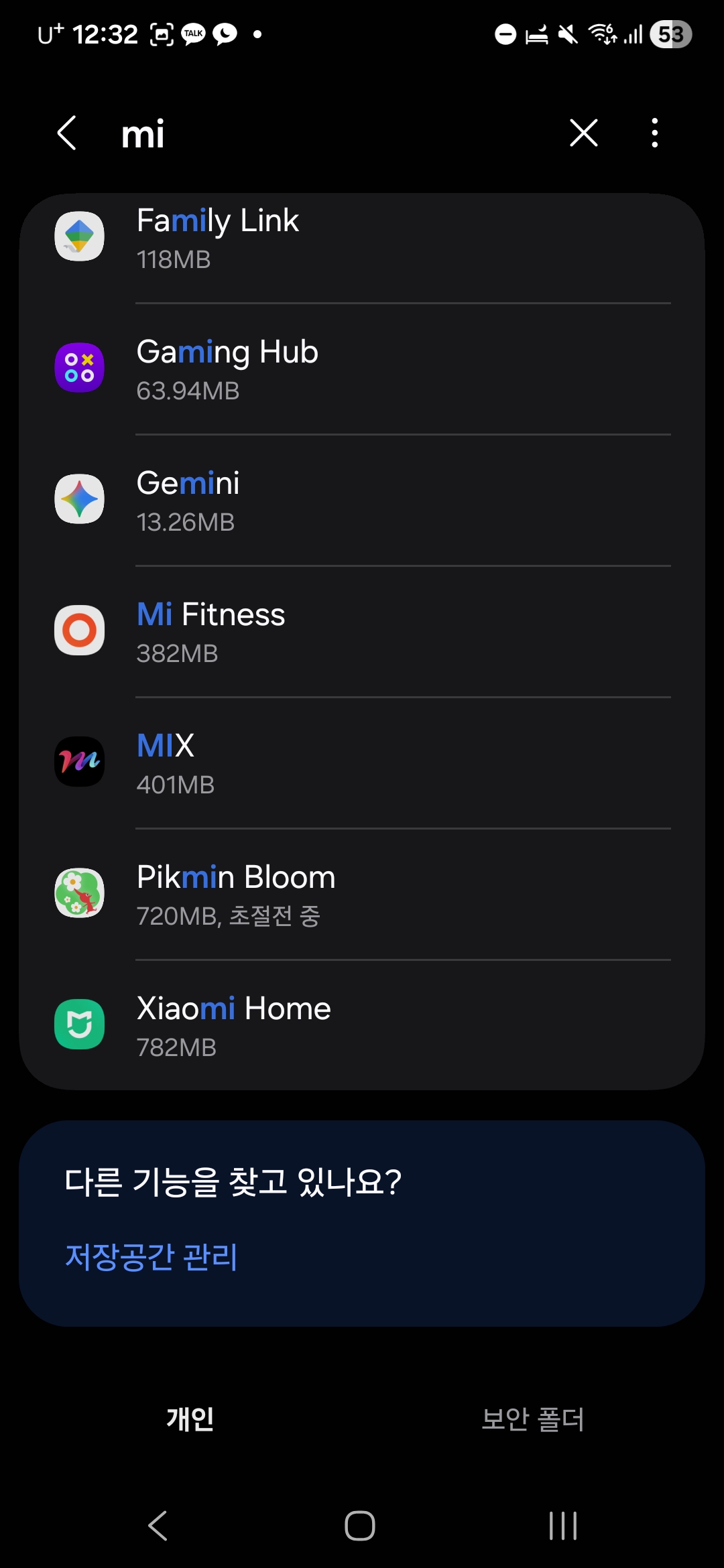
* 앱 목록에서 미밴드 앱 검색
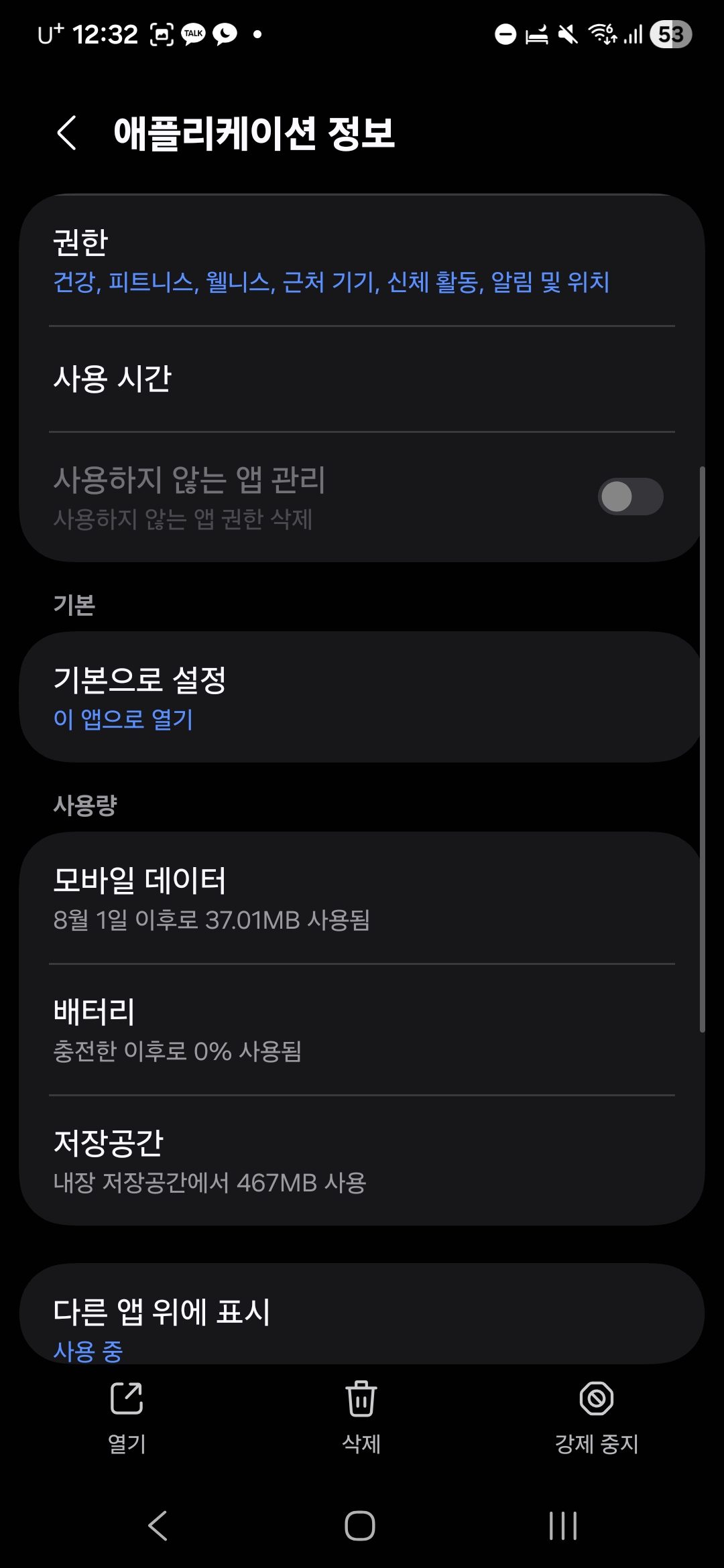
* Zepp Life 또는 Mi Fitness 앱을 찾아 선택합니다.
* 앱 정보 화면에서 '배터리' 항목 선택
* '배터리 사용량', '배터리 최적화' 등의 이름으로 표시될 수 있습니다.
* 백그라운드 사용 설정 변경
* 대부분의 경우, 아래 옵션 중 하나를 선택합니다:
* '제한 없음' (Unrestricted)
* '백그라운드에서 앱 실행 허용' (Allow background activity)
* '배터리 사용량 최적화 제외' (Exclude from battery optimization)
설정을 완료하면 이제 미밴드 앱이 백그라운드에서 강제로 종료되는 일 없이 계속 작동하여 미밴드 8을 더욱 원활하게 사용할 수 있습니다!
🇺🇸 Mi Band 8: How to Enable Background Usage (English Version)
If you've been seeing the persistent notification that the Mi Band 8 app "requires background usage to function normally," here is the simple fix you've been looking for!
💡 The Core of the Issue
The dedicated Mi Band app (usually Zepp Life or Mi Fitness) needs permission to run continuously in the background of your smartphone. This ensures a stable connection between your Mi Band and phone, allowing notifications, sleep data, and activity records to synchronize in real-time without interruption.
🛠️ Guide to Enabling Background Usage
This guide follows the most common path on Android smartphones. Note that menu names might vary slightly depending on your device manufacturer (Samsung, Google, etc.) and Android OS version.
Step-by-Step Configuration
* Open your smartphone's 'Settings' app.
* Navigate to 'Apps' or 'Applications & Notifications'.
* Search for the Mi Band App in the List
* Find and select the Zepp Life or Mi Fitness app.
* Select the 'Battery' option on the App Info screen.
* This may be labeled as 'Battery usage' or 'Battery optimization'.
* Change the Background Usage Setting
* In most cases, you will need to select one of the following options:
* 'Unrestricted'
* 'Allow background activity'
* 'Exclude from battery optimization'
Once this setting is applied, your Mi Band app will no longer be forcefully closed in the background, ensuring a much smoother experience with your Mi Band 8!
'Diy' 카테고리의 다른 글
| 직장인 부업의 끝판왕: Claude와 Gemini로 완성한 '무인 자동화 블로그' 구축기 (0) | 2026.01.16 |
|---|---|
| [내돈내산] 냉장고 냄새 제거 숯 제습, 탈취, 공기청정제 효과 200% 활용법 (새집증후군까지 해결!) (0) | 2025.11.16 |
| 러닝화 신발 수선 DIY (3) | 2025.08.26 |
| 비데 변기 뚜껑 고장 수리 쿵 떨어짐 (0) | 2025.05.16 |
| [DIY]가스랜턴 유리 대신 알루미늄 메쉬망 (0) | 2025.04.20 |


댓글